
Solution for Canon Printer Cartridges Not Dispensing Ink
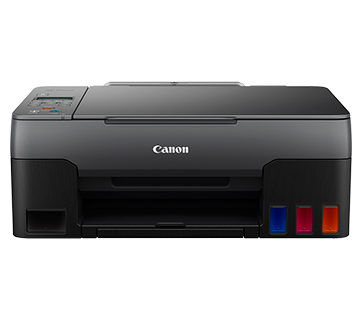
Ruangngoprek.web.id - Solutions for Canon Printer Cartridges That Won't Print Ink. This is a common problem when using a printer, particularly with Canon printers, where the ink isn't coming out during printing. I've even encountered many cases where the cartridge is brand new but appears to be in a state of disrepair.
Here I will try to provide some references that will produce solutions related to the title above, which you can try at home according to the type of problem you encounter, so let's get to the point.
1. Ink Cannot Come Out Due to the Filling Process
Many of our brothers and sisters have asked questions directly on this website, and the gist of their questions is that when printing, the black ink won't come out, only the colored ink comes out. This happened after they refilled the printer because it had run out of ink.
I emphasize that such cases are common and are caused by errors during the printer cartridge refilling process, particularly in printers that haven't been refilled or that only refill by injecting ink directly into the cartridge.
The cause of the problem here is not because of the filling method but rather the quantity of ink that is inserted is excessive, even though there are instructions printed on each refill ink package, in fact, it turns out that many of our brothers and sisters still do not understand the correct method or way to fill the ink in their printer.
And most importantly, many of our friends refill their cartridges too full, which is strictly not recommended. The cartridge only contains absorbent material, and if this absorbency exceeds the limit, it will cause problems with your printouts.
If that's the case, the solution is very simple. For refill users, we simply perform a deep cleaning twice to remove excess ink from the cartridge.
If you are using an infusion printer, you simply need to remove the infusion hose on the cartridge first, then do a deep cleaning at least 2 times.
2. The ink cannot come out because it is clogged.
Apart from being caused by the filling process, another cause is because it is clogged, meaning the cartridge nozzle is covered by dried ink, usually this kind of thing is often found in printers that are rarely used, and stored for a long time before being used again so that the remaining ink at the tip or at the nozzle mouth dries and blocks the ink outlet when printing.
Of course, this is also closely related to the quality of the ink you use, because in my personal experience, original ink is very unlikely to cause clogging, but again, the price is much more expensive if we compare it with ordinary ink.
However, that doesn't mean that including these criteria is completely bad for us to use. So far, I've used non-original ink and the cartridges have been safe and sound. You just need to know the criteria that are suitable for your printer. How do you know if ink won't damage your printer?
So, what if the problem is caused by a blockage? If you experience this, here are some tips I'll share: washing the cartridge. The method is very simple, soaking the cartridge mouth in a head cleaning fluid for 15-30 minutes, depending on the density of the clotted ink. I've often tried this method and it's proven to be effective in dealing with clogged cartridges.
3. The ink cannot come out because the nozzle is worn out.
The third cause is that the Nozzle cartridge part is worn out, not thirsty, but worn out :D. Well, it's different from the 2 criteria above, wear here is caused by the printer having printed on a scale that we can say is large.
This causes the cartridge's brass plate (nozzle) to wear out, so no matter how good the ink we use, it still won't come out during the printing process. As far as I know, this problem can be considered the end of the cartridge's lifespan. This means the cartridge can no longer be used or repaired using the two methods I've outlined above.
Since this involves the physical cartridge itself, the only solution is to replace it with a new one. I don't know if anyone out there has been able to do this, but so far, I haven't encountered any issues with this one.
So that's it for this thread. As usual, if you have any questions or comments, please leave a comment in the comment box below. Finally, thank you. That concludes the article on "Solutions for Canon Printer Cartridges Not Capable of Ink Coming Out." Hopefully, it's helpful.

Post a Comment for "Solution for Canon Printer Cartridges Not Dispensing Ink"